



Blog
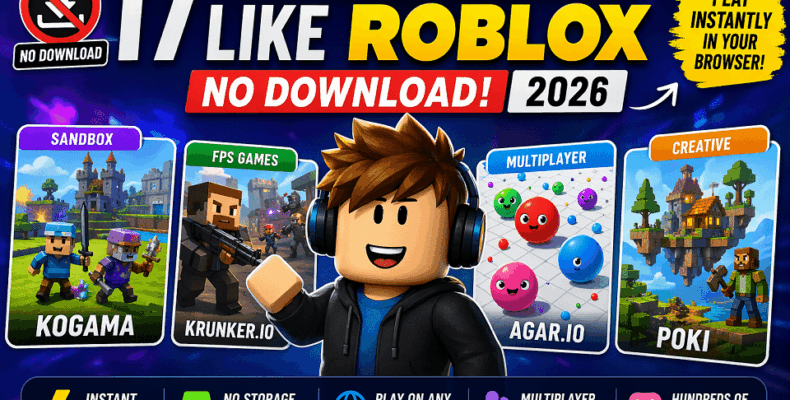
17 Best Free Online Games Like Roblox (No Download) – 2026
Looking for best free online games like Roblox that don’t require a download? You have solid options today. Browser games now support multiplayer, sandbox play, and creative building without installs.
Many players want alternatives because Roblox can feel limited or heavy on some devices. Some games also rely on in-game currency, which not everyone prefers. So users look for simpler, open, and instant options.
No-download games solve a real problem. You open a browser, click, and start playing in seconds. They work well on low-end PCs, school systems, and mobile devices.
These games also save storage space and avoid long updates. That makes them ideal for casual play and quick sessions with friends.
In this guide, you will find the best free online games like Roblox. We focus on multiplayer features, smooth performance, and easy access on any device.
What Are the Best Free Online Games Like Roblox?
The best free online games like Roblox include sandbox, multiplayer, and creative-building games that run in your browser. These include browser MMOs, social worlds, and no-download mini-game platforms.
These games focus on instant access and social play. You can join friends, explore worlds, and try different game modes without installing anything. Many also support user-created content, which keeps gameplay fresh.
To choose the best options, we use clear criteria:
- Free-to-play with no hidden setup
- No installation, works directly in a browser
- Strong multiplayer or social features
We also look for creativity and variety. The best games let you build, customize, or switch between different game styles easily.
Top 17 Free Online Games Like Roblox (No Download Required)
If you want games like Roblox Corporation without installation, these options work well. They run directly in your browser and start instantly. You do not need setup, updates, or extra storage.
This list focuses on games that offer multiplayer, variety, and smooth performance. Most of them work on low-end PCs and mobile devices. You can switch between games quickly and play with others online.
We selected these games based on access, gameplay variety, and user experience. Each option gives you a different mix of creativity, competition, or casual play.
Game #1 – Krunker.io
Overview
Krunker.io is a fast browser FPS that runs on almost any device. You join matches in seconds and start playing without setup. The game uses simple graphics, so it runs smoothly on low-end PCs. It offers quick rounds, custom maps, and active multiplayer rooms. You can also explore community servers with different modes.
Why it’s like Roblox
It shares the same instant access and community-driven gameplay. Players create maps and modes, so content keeps changing. You also get social multiplayer and quick game switching.
Key Features
- Multiplayer: Real-time matches with global players and private rooms
- Customization: Skins, classes, and user-made maps
- Browser-based: Runs directly in your browser with no download
Platform: PC, Mobile, Browser
Best For: Competitive players, casual gamers, low-end device users
Pros & Cons
Pros:
- Very fast loading and smooth performance
- Large active player base
- Strong community content
Cons:
- Limited building compared to Roblox
- Graphics are basic
Play Now (CTA):
Open your browser and start playing instantly on Krunker.io.
Game #2 – Poki Games
Overview
Poki Games is a browser-based platform that hosts hundreds of free online games. You can explore different genres like action, racing, puzzle, and multiplayer. The platform loads quickly and works well on both PC and mobile devices. You do not need an account to start playing. It is designed for quick access and smooth gameplay.
Why it’s like Roblox
It offers a wide variety of games in one place, similar to Roblox’s game library. You can switch between games instantly without installing anything. It also supports multiplayer titles and social play.
Key Features
- Multiplayer: Includes several online multiplayer and co-op games
- Customization: Limited, but some games offer skins and upgrades
- Browser-based: Full platform works without downloads
Platform: PC, Mobile, Browser
Best For: Casual players, kids, and users who want variety without setup
Pros & Cons
Pros:
- Huge collection of games in one place
- No login required
- Works smoothly on low-end devices
Cons:
- No deep building or creation tools
- Quality varies between games
Play Now (CTA):
Browse and play instantly on Poki.
Game #3 – Miniclip Browser Games
Overview
Miniclip offers a large collection of free browser games across many genres. You can play sports, arcade, puzzle, and multiplayer titles in seconds. The platform focuses on quick access and smooth gameplay. Many games run well on low-end devices and mobile browsers. Popular titles like 8 Ball Pool keep players engaged for long sessions.
Why it’s like Roblox
It provides a wide range of games in one place, similar to Roblox’s variety. You can switch between games quickly and play with others online. The focus is on accessibility and instant play.
Key Features
- Multiplayer: Many games support real-time online matches
- Customization: Some games include upgrades, avatars, and items
- Browser-based: No download required, works instantly
Platform: PC, Mobile, Browser
Best For: Casual players, competitive gamers, and quick gaming sessions
Pros & Cons
Pros:
- Well-known and reliable platform
- Strong multiplayer games
- Easy to access and play
Cons:
- Limited creative or building features
- Some games push in-app purchases
Play Now (CTA):
Start playing instantly on Miniclip.
Game #4 – KoGaMa
Overview
KoGaMa is a browser-based sandbox game with strong community content. Players build worlds, design mini-games, and share them with others. You can jump into parkour maps, racing tracks, and adventure worlds in seconds. The game runs in your browser and works on most PCs. It focuses on creativity and social play.
Why it’s like Roblox
KoGaMa closely matches Roblox in user-generated content and game variety. Players create and publish their own games, which others can explore. It also supports multiplayer interaction and shared worlds.
Key Features
- Multiplayer: Join public worlds and play with other users in real time
- Customization: Build maps, design levels, and customize avatars
- Browser-based: No download required, runs directly online
Platform: PC, Browser
Best For: Creative players, builders, and users who enjoy community-made games
Pros & Cons
Pros:
- Strong building and creation tools
- Active community content
- Easy to start and explore
Cons:
- Graphics feel basic
- Interface can feel outdated
Play Now (CTA):
Explore and create your own worlds on KoGaMa.
Game #5 – Y8 Games
Overview
Y8 Games is a long-running browser platform with thousands of free online games. You can explore action, puzzle, racing, and multiplayer titles in one place. The site loads fast and works on most browsers without setup. It also supports player profiles and basic social features. Many games run well on low-end systems.
Why it’s like Roblox
It offers a large mix of games you can switch between instantly. You also get multiplayer options and a social layer with profiles. The focus stays on quick access and variety, similar to Roblox.
Key Features
- Multiplayer: Select titles support online matches and shared play
- Customization: Profiles, achievements, and some in-game upgrades
- Browser-based: No download, play directly online
Platform: PC, Mobile, Browser
Best For: Casual players, students, and users who want many game choices
Pros & Cons
Pros:
- Huge game library
- Fast loading on most devices
- No account needed to start
Cons:
- Game quality varies
- Limited building or creation tools
Play Now (CTA):
Browse and play instantly on Y8 Games.
Game #6 – CrazyGames
Overview
CrazyGames is a modern browser platform with a strong mix of 2D and 3D games. You can play action, driving, shooting, and multiplayer titles instantly. The site focuses on fast loading and smooth performance. Many games use WebGL, so they feel more advanced than typical browser games. It works well on both desktop and mobile browsers.
Why it’s like Roblox
It offers a wide variety of games and quick switching between them. You also get multiplayer experiences and evolving content. The platform supports creative and experimental games, similar to Roblox’s variety.
Key Features
- Multiplayer: Several games support real-time online play
- Customization: Some games include skins, upgrades, and progression
- Browser-based: No installation, runs instantly
Platform: PC, Mobile, Browser
Best For: Casual players, action game fans, and users who want better browser graphics
Pros & Cons
Pros:
- High-quality browser games
- Smooth performance on most devices
- Regularly updated game library
Cons:
- Limited building tools
- Some games need a stable internet connection
Play Now (CTA):
Start playing instantly on CrazyGames.
Game #7 – Agar.io
Overview
Agar.io is a simple browser multiplayer game where you control a growing cell. You move, absorb smaller players, and avoid larger ones. Matches start instantly and run smoothly on most devices. The game uses clean visuals, so it works well on low-end PCs and mobile browsers. It is easy to learn but hard to master.
Why it’s like Roblox
It offers instant multiplayer access and social competition. You join live rooms and interact with real players. The gameplay is simple, but sessions stay engaging like many Roblox mini-games.
Key Features
- Multiplayer: Real-time matches with global players
- Customization: Basic skins and nicknames
- Browser-based: No download, play instantly
Platform: PC, Mobile, Browser
Best For: Casual players, competitive users, and quick gaming sessions
Pros & Cons
Pros:
- Very easy to start
- Fast and smooth gameplay
- Works on low-end devices
Cons:
- No building or creative tools
- Gameplay can feel repetitive over time
Play Now (CTA):
Jump into a live match on Agar.io.
Game #8 – Slither.io
Overview
Slither.io is a browser-based multiplayer game where you control a glowing snake. You collect orbs, grow longer, and avoid crashing into others. Matches start instantly and run smoothly on most devices. The controls are simple, so anyone can play without learning time. It works well on low-end PCs and mobile browsers.
Why it’s like Roblox
It offers instant multiplayer access and quick sessions with real players. You join a shared world and compete or survive. Like Roblox mini-games, it is simple but highly engaging.
Key Features
- Multiplayer: Real-time matches with global players
- Customization: Basic skins and snake styles
- Browser-based: No download, play instantly
Platform: PC, Mobile, Browser
Best For: Casual players, quick gaming sessions, and competitive users
Pros & Cons
Pros:
- Easy to learn and start
- Smooth performance on most devices
- Addictive gameplay loop
Cons:
- No creative or building features
- Limited game modes
Play Now (CTA):
Start playing instantly on Slither.io.
Game #9 – Tynker Games
Overview
Tynker Games is a browser-based platform that focuses on coding and game creation. It is designed for kids and beginners who want to learn programming through play. You can explore simple games or build your own using visual coding blocks. The platform runs in your browser and needs no installation. It combines learning with interactive gameplay.
Why it’s like Roblox
It supports user creativity and game building, similar to Roblox Studio. Players can design their own games and share them with others. It also offers a structured way to learn while creating.
Key Features
- Multiplayer: Limited, but some shared projects and community features
- Customization: Strong focus on building and coding your own games
- Browser-based: No download, works directly online
Platform: PC, Browser
Best For: Kids, students, beginners, and aspiring game creators
Pros & Cons
Pros:
- Teaches coding through games
- Strong creative tools
- Safe and structured environment
Cons:
- Limited real-time multiplayer gameplay
- More educational than competitive
Play Now (CTA):
Start building and playing on Tynker.
Game #10 – Blockman Go
Overview
Blockman Go is a mini-game platform with a block-style design similar to Roblox. It offers many game modes like survival, roleplay, and parkour. You join rooms, play with others, and switch games easily. The game runs smoothly on mobile and low-end devices. However, it requires a lightweight app install, so it is not fully browser-based.
Why it’s like Roblox
It provides a collection of user-style mini-games in one place. You can explore different worlds and play with friends. The social and multiplayer focus feels close to Roblox.
Key Features
- Multiplayer: Real-time rooms and social gameplay
- Customization: Avatars, skins, and in-game items
- Access: Requires a small app download (not fully browser-based)
Platform: Mobile, PC (emulator), App-based
Best For: Mobile gamers, Roblox fans, and casual multiplayer players
Pros & Cons
Pros:
- Wide variety of mini-games
- Strong social features
- Runs well on most mobile devices
Cons:
- Requires download (not fully “no install”)
- The in-game currency system can limit progress
Play Now (CTA):
Explore mini-games on Blockman Go.
Game #11 – Hordes.io
Overview
Hordes.io is a browser-based MMORPG with real-time combat and open-world play. You choose a class, explore maps, and fight enemies or other players. The game runs directly in your browser and loads quickly. It supports quests, leveling, and team-based battles. It works well on most PCs with a stable connection.
Why it’s like Roblox
It offers multiplayer interaction in shared worlds. You can join others, explore, and complete activities together. Like Roblox, it focuses on social gameplay and variety.
Key Features
- Multiplayer: Real-time co-op and PvP battles
- Customization: Character classes, skills, and upgrades
- Browser-based: No download required
Platform: PC, Browser
Best For: RPG fans, multiplayer players, and users who want deeper gameplay
Pros & Cons
Pros:
- Open-world multiplayer experience
- Class-based gameplay with progression
- No installation needed
Cons:
- Needs a stable internet connection
- Limited creative or building tools
Play Now (CTA):
Start your adventure on Hordes.io.
Game #12 – Little Big Snake
Overview
Little Big Snake is a browser multiplayer game with a deeper progression system. You control a snake, collect resources, and grow while avoiding others. The game adds missions, upgrades, and evolving skins, which keep sessions engaging. It runs smoothly in most browsers and works on low-end devices. You can play solo or join active multiplayer arenas.
Why it’s like Roblox
It offers social multiplayer and evolving gameplay through progression. Players interact in shared worlds and compete or cooperate. Like Roblox mini-games, it keeps gameplay simple but engaging.
Key Features
- Multiplayer: Real-time online arenas with global players
- Customization: Skins, upgrades, and progression system
- Browser-based: No download, runs instantly
Platform: PC, Mobile, Browser
Best For: Casual players, competitive users, and progression-based gameplay fans
Pros & Cons
Pros:
- More depth than typical browser games
- Smooth performance on most devices
- Regular events and rewards
Cons:
- No building or creative tools
- Progression can take time
Play Now (CTA):
Start playing instantly on Little Big Snake.
Game #13 – Shell Shockers
Overview
Shell Shockers is a browser-based FPS where you control armed eggs in fast matches. You join a room, pick a weapon, and start playing in seconds. The game runs well on most browsers and low-end PCs. It offers simple controls and quick rounds, so it suits short sessions. Despite its style, it delivers solid competitive gameplay.
Why it’s like Roblox
It provides instant multiplayer access and quick game modes. You can jump between matches and play with others online. Like many Roblox mini-games, it focuses on fast and social gameplay.
Key Features
- Multiplayer: Real-time matches with players worldwide
- Customization: Weapons, skins, and loadouts
- Browser-based: No download required
Platform: PC, Browser
Best For: FPS fans, casual players, and competitive users
Pros & Cons
Pros:
- Fast-paced and easy to start
- Smooth on low-end devices
- Active player base
Cons:
- No building or creative features
- Limited game modes
Play Now (CTA):
Jump into a match on Shell Shockers.
Game #14 – Surviv.io (and Alternatives)
Overview
Surviv.io is a browser-based 2D battle royale game with fast-paced multiplayer action. You land on a map, collect weapons, and fight to survive. Matches are short, intense, and easy to start. The game runs directly in your browser and works on low-end devices. It supports solo, duo, and squad modes.
Why it’s like Roblox
It offers instant access and real-time multiplayer gameplay. You can jump into matches quickly and interact with other players. Like Roblox mini-games, it focuses on fast sessions and social competition.
Key Features
- Multiplayer: Solo, duo, and squad-based battle royale matches
- Customization: Basic skins and loadouts
- Browser-based: No download required
Platform: PC, Mobile, Browser
Best For: Competitive players, battle royale fans, and quick sessions
Pros & Cons
Pros:
- Fast and engaging gameplay
- Works well on low-end devices
- Strong multiplayer focus
Cons:
- No creative or building features
- Limited variety compared to sandbox games
Note on Alternatives
If Surviv.io is unavailable or limited, you can try similar browser games like Suroi.io or Survev.io, which follow the same battle royale style.
Play Now (CTA):
Jump into battle on Surviv.io or try its alternatives for a similar experience.
Game #15 – PlayCanvas Demos / Sandbox Worlds
Overview
PlayCanvas offers interactive 3D demos and sandbox worlds that run directly in your browser. These experiences use WebGL, so they deliver smooth graphics without installation. You can explore open environments, test mechanics, or try experimental games. Many demos are built by developers and shared online. The platform focuses on real-time 3D and fast loading.
Why it’s like Roblox
It supports user-created worlds and interactive experiences. Developers build and share projects that others can explore instantly. Like Roblox, it encourages creativity and experimentation in shared spaces.
Key Features
- Multiplayer: Limited, but some demos include shared or social experiences
- Customization: Strong focus on creating and modifying 3D worlds
- Browser-based: Runs fully online using WebGL
Platform: PC, Mobile, Browser
Best For: Developers, creators, and users who enjoy exploring experimental worlds
Pros & Cons
Pros:
- High-quality 3D graphics in the browser
- No download required
- Strong creative and sandbox potential
Cons:
- Not a traditional game platform
- Limited structured gameplay
Play Now (CTA):
Explore interactive demos on PlayCanvas.
Game #16 – Core Games (Cloud / Download Optional)
Overview
Core Games is a sandbox platform built on Unreal Engine. It offers high-quality user-created games and worlds. You can explore multiplayer experiences or build your own projects. While it usually requires a download, cloud access options are emerging. This makes it closer to browser-style gaming.
Why it’s like Roblox
It focuses on user-generated content and shared worlds. Players can create, publish, and explore games made by others. The platform supports social play and creative freedom.
Key Features
- Multiplayer: Shared worlds and social gameplay
- Customization: Advanced building and scripting tools
- Access: Download required, but cloud access is growing
Platform: PC (Cloud support emerging)
Best For: Creators, developers, and advanced players
Pros & Cons
Pros:
- High-quality graphics and tools
- Strong creative ecosystem
- Multiplayer experiences
Cons:
- Not fully browser-based
- Requires better hardware
Play Now (CTA):
Explore games on Core.
Game #17 – GDevelop Web Games
Overview
GDevelop is a no-code game engine that also hosts playable web games. You can play many community-made games directly in your browser. It focuses on simplicity and fast access. The platform supports both playing and creating games.
Why it’s like Roblox
It allows users to create and share games with others. Community content drives the platform, similar to Roblox. You also get a mix of game styles and ideas.
Key Features
- Multiplayer: Limited, depending on the game
- Customization: Strong game creation tools
- Browser-based: Many games run without download
Platform: PC, Mobile, Browser
Best For: Beginners, creators, and indie developers
Pros & Cons
Pros:
- No-code game creation
- Browser-based access
- Active community projects
Cons:
- Limited multiplayer support
- Game quality varies
Play Now (CTA):
Try community games on GDevelop.
Why Players Are Looking for Games Like Roblox Corporation
Many players enjoy Roblox, but some look for simpler and faster options. The platform can feel heavy on older devices, and not every game runs smoothly. This pushes users to try lighter browser-based alternatives.
Another concern is monetization. Many experiences rely on Robux, which can limit progress for free users. Players often prefer games where core features stay open without spending.
Safety also matters, especially for younger users. Open chat and user content can raise concerns for parents. So some users choose platforms with fewer social risks.
Alternatives solve these problems in practical ways:
- Instant play in a browser, with no waiting time
- No downloads, so no storage or updates needed
- Wider variety, with many game styles in one place
These factors make no-download games a strong choice for casual and everyday play.
Why Players Are Looking for Games Like Roblox Corporation
Many players enjoy Roblox, but they also look for simpler and faster options. The platform can feel heavy on older devices. Some games take time to load and may lag during play. This affects users on low-end PCs and mobile devices.
Monetization is another common concern. Many experiences depend on Robux for items, upgrades, or access. Free players may feel limited after a short time. So they look for games where core features stay open without spending.
Safety also plays a role, especially for younger users. Open chat systems and user-generated content can create risks. Parents often prefer platforms with fewer interactions or more controlled environments.
Browser-based alternatives solve many of these issues. They focus on speed, simplicity, and easy access. You open a tab and start playing without setup.
Key benefits of these alternatives include:
- Instant play with no waiting or installation
- No downloads, so devices stay clean and fast
- Wider variety, with many game styles in one place
These games also update automatically in the browser. You do not manage files or patches. This makes them ideal for quick sessions at home, school, or work.
In short, players want flexibility, speed, and fewer limits. That is why free online games like Roblox, with no download, continue to grow in popularity.
Key Features to Look for in Roblox Alternatives
Choosing the right alternative depends on how you play and what your device can handle. Not every game offers the same mix of speed, social play, and creativity. So it helps to focus on a few practical features before you decide.
- Browser-based gameplay
Games should run directly in your browser without installation. This saves time and avoids storage issues. It also makes access easy on shared or restricted systems.
- Multiplayer capability
Look for real-time multiplayer or social features. This keeps gameplay engaging and closer to the Roblox experience. You can join friends or play with global users.
- User-generated content
Some platforms allow players to build maps or create games. This adds variety and keeps content fresh. It also supports creativity and long-term engagement.
- Cross-platform support
Good alternatives work on PC, mobile, and tablets. This lets you switch devices without losing access. It also makes it easier to play with friends on different systems.
- Low-end device compatibility
Games should run smoothly on basic hardware. Lightweight graphics and optimized performance matter here. This ensures stable gameplay without lag.
These features help you find games that are fast, flexible, and easy to access. They also improve your chances of finding a platform that fits your style.
Which Is Better Than Roblox for No-Download Gaming?
If you want a quick answer, the best choice depends on how you play. Each platform solves a different need, so pick based on your style.
- For variety → Poki
- You get hundreds of games in one place. It works best for quick and casual sessions.
- For creativity → KoGaMa
- You can build worlds and explore user-created content. It feels closest to Roblox’s creative side.
- For competitive play →io
- It offers fast-paced multiplayer matches. Best for players who enjoy skill-based gameplay.
In short, there is no single “better” option for everyone.
Choose based on whether you want variety, creativity, or competition.
Roblox vs Free Online Games (No Download)
If you compare Roblox Corporation with browser-based games, the difference is clear. Roblox offers deeper systems and creation tools. But no-download games focus on speed and easy access.
Here is a simple comparison to help you decide:
| Feature | Roblox | Free Online Games (No Download) |
| Installation | Required | Not required |
| Performance | Medium to high resource usage | Lightweight and fast |
| Creativity | Advanced building tools | Limited or basic |
| Multiplayer | Strong social system | Available in many games |
| Accessibility | Depends on device performance | Works on most devices |
| Updates | Manual or automatic updates | No updates needed |
Key takeaway:
Roblox works better if you want deep creation and long sessions.
Browser games work better if you want instant play and low system load.
So, choose based on your priority.
Go with Roblox for creativity, or choose no-download games for speed and convenience.
Who Should Play These Roblox Alternatives?
These no-download games work best for users who want speed and simplicity. They remove setup, reduce load on devices, and allow quick access from anywhere.
- Students → No install needed, works on school systems and shared computers
- Office users → Quick sessions during breaks, no setup or downloads
- Low-end device users → Smooth gameplay on basic PCs and mobile devices
These players benefit the most because they need fast, flexible, and lightweight gaming options.
Trending Browser Games in 2026
Browser gaming continues to grow with faster engines and better multiplayer support. Many games now run instantly with no download and still offer deep gameplay.
Here are some trending browser games in 2026:
1. Agar.io
A fast-paced multiplayer game where you grow by absorbing others. It remains popular due to its simple mechanics and competitive gameplay.
2. Skribbl.io
A social drawing and guessing game that works well for groups. It is trending because of its fun party-style gameplay and easy access.
3. Forge of Empires
A strategy game where you build and expand your city over time. It stands out for long-term progression and strong player engagement.
4. Hordes.io
A browser MMORPG with real-time combat and open-world exploration. It attracts players who want deeper gameplay without installing anything.
5. Guess Their Answer
A casual quiz-style game that is trending on platforms like CrazyGames. It is popular for quick sessions and simple gameplay loops.
These games show how browser gaming now covers casual, competitive, and strategy genres.
Are These Games Safe for Kids?
Yes, many free online games like Roblox can be safe for kids, but safety depends on how they are used. Browser games reduce some risks because they do not require downloads. Still, multiplayer features and open chats can expose kids to strangers.
Parents should focus on simple controls and clear rules. Most platforms offer basic safety tools, but they are not always enabled by default. So active supervision matters.
Here are the key safety practices to follow:
Parental controls
Set device-level or browser-level restrictions. Limit screen time and block unsafe websites. Some platforms also offer child-friendly modes or filtered content. Use these settings to reduce exposure to harmful material.
Chat moderation
Multiplayer games often include chat features. These can expose kids to unknown players. Disable chat if possible, or restrict it to friends only. Teach kids not to share personal information during gameplay.
Avoid suspicious links
Some games or ads may show external links. Kids may click them without understanding the risk. Explain that they should avoid unknown links, pop-ups, or fake rewards. This helps prevent scams and unsafe websites.
It also helps to choose well-known platforms with active moderation. Keep games updated and check what your child plays regularly.
In short, these games can be safe when used with the right precautions. Guidance and simple controls make a big difference.
Pros and Cons of No-Download Online Games
No-download games offer speed and simplicity. But they also come with a few limits. You should weigh both sides before choosing them as your main gaming option.
Pros
Instant access
You open a browser, click a game, and start playing within seconds. There is no setup, no updates, and no waiting time. This makes them ideal for quick sessions and casual play.
No storage usage
These games run online, so they do not use your device storage. This helps if you use a low-end PC or a phone with limited space. You also avoid managing files or clearing storage.
Easy sharing
You can share a game with a simple link. Friends can join instantly without installing anything. This makes multiplayer sessions quick and hassle-free.
Cons
Internet dependency
These games need a stable internet connection. If your connection drops, gameplay can lag or stop. Offline play is usually not possible.
Limited graphics
Most browser games use lightweight graphics to run smoothly. This means you may not get high-end visuals or detailed environments. The focus stays on performance, not realism.
Ads and interruptions
Many free platforms rely on ads for revenue. You may see pop-ups or short video ads during gameplay. These can interrupt the experience, especially in longer sessions.
Pros vs Cons Table
| Pros | Cons |
| Instant access | Needs an internet connection |
| No storage usage | Limited graphics quality |
| Easy sharing with links | Ads may interrupt play |
Summary
No-download online games work best for speed and convenience. They suit casual players, students, and low-end devices. However, they depend on internet quality and offer simpler visuals.
If you value quick access and easy multiplayer, they are a strong choice. If you want high graphics and offline play, you may need to install games instead.
FAQs (Featured Snippet Optimization)
What are the best free online games like Roblox?
The best options include sandbox and multiplayer browser games like Poki, CrazyGames, and KoGaMa.
Can I play games like Roblox without downloading anything?
Yes, many games run directly in your browser. You can open a site, click play, and start instantly without installation.
Are browser games safe for kids?
They can be safe if you use parental controls and limit chat features. Always avoid unknown links and monitor gameplay.
Which games are best for low-end PCs?
Games like Krunker.io, Agar.io, and Slither.io run smoothly on low-end devices.
Do these games support multiplayer?
Yes, many support multiplayer. Games like Shell Shockers and Hordes.io offer real-time online gameplay.
Conclusion – Which Roblox Alternative Should You Try?
Free online games like Roblox now offer strong options without downloads. You can play instantly, save storage, and switch between games with ease. Most run well on low-end devices and support multiplayer.
Choose based on how you like to play:
- Casual players: Use simple browser hubs like Poki or Y8 Games for quick sessions
- Competitive players: Try fast FPS games like Krunker.io or Shell Shockers
- Creative players: Explore sandbox platforms like KoGaMa or PlayCanvas demos
Each option solves a different need, so pick what fits your style and device.
Try these games and tell us your favorite!
Last updated: April 2026

