


Blog
Google Clock App: Start Your Day on a High Note with Musical Alarms
Rise and Shine with the Google Clock App
Rising up every morning could be a real pain as most of us would love to continue to stay in bed. The Google Clock app makes it a bit easier to get out of bed as you can wake up to your favourite tune.
There are some people who can get up every day at the same time without the need of an alarm. But most of us require an alarm to wake us up every morning. We begin our day by the beeping sound of an alarm. The alarm sounds could be quite annoying and may even stress us out. This could be quite irritating especially when we are in deep slumber. Google has come out with its very own Google Clock App on your android phone. It may not be an app that would bring you great joy but can surely release the stress and make our mornings more bearable.
The Google Clock app is an update to the clock app which allows you to choose a song or any playlist from Spotify to wake you up. Even though Google has its own music service like Google Play Music and YouTube Music, it has collaborated with Spotify for the Google Clock app. Spotify is actually a competitor of Google, but since they are more popular, Google has integrated Spotify in their Google Clock app.
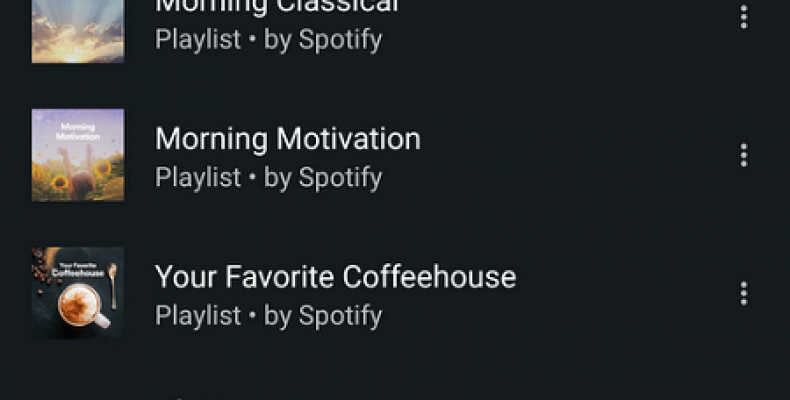
The new Google Clock app has added a Spotify tab to the original sound options.The latest feature by Google will be available for those with Android 5.0+ devices. The Spotify tab will show the music that has been recently played, its very own playlist and also a search button where you can find anything you need.
In case you need to choose a song from your music library to use with the Google Clock app, then you need to ensure that you have Spotify installed on your Android 5.0 Lollipop or later versions. To choose a sound, press the ringer button below the alarm. Tap on the Spotify tab. You then need to select a song from the Spotify library.
Now when the alarm goes off in the morning to wake you up, you will hear your very own music that you have selected. There is also an option that allows you to continue to listen to the music after you have turned off the alarm. This feature works for the Free and Premium Spotify subscribers.
There have been other alarm apps as well as the Clock app on Apple’s iPhone that allowed the users to wake up to their favourite tunes, but now Google has entered the fray with the Google Clock app.
Waking up in the morning to the sound of music of your very own choice is definitely a boon than waking up to the beep of the standard alarm sound. One has to ensure that they have installed the Google Clock app and Spotify. The feature is available to those with the Android 5.0 Lollipop or later versions.

